What is Power BI?
Power BI is a business intelligence platform by Microsoft that turns raw data into interactive reports and dashboards — accessible from any device, shareable across any team.
It connects to hundreds of data sources — from Excel files and SQL databases to cloud services and web APIs — allowing you to clean, model, and visualize data without writing a single line of code. The result is a living report that updates automatically as your data changes, giving decision-makers real-time clarity instead of static spreadsheets.
Power BI within the Power Platform
Power BI is one of five interconnected applications in Microsoft's Power Platform. Understanding how they relate to each other helps you see the bigger picture — and how the skills you learn here connect to the broader Microsoft ecosystem.
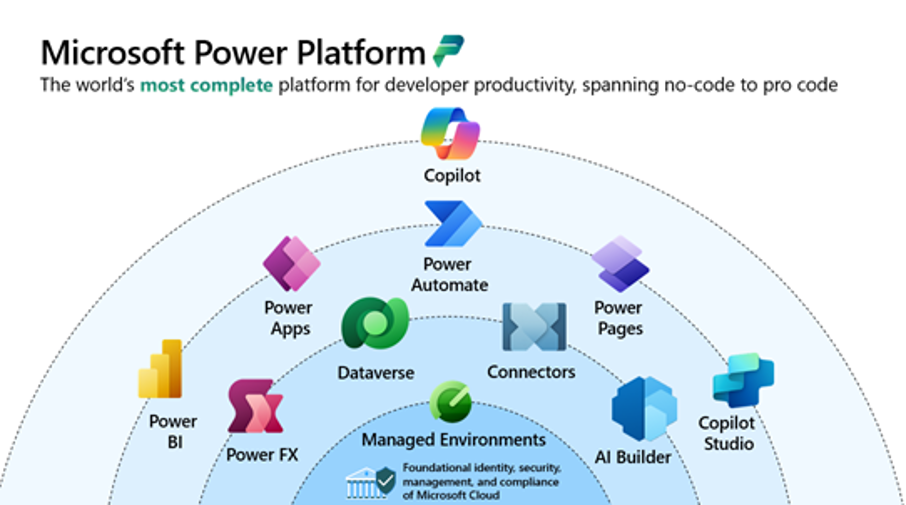
Microsoft Power Platform — the five connected applications and their shared foundation.
Desktop, Service & Mobile
Power BI is not a single app — it is three connected experiences, each designed for a different stage of your workflow. Knowing which one to use, and when, is the first practical skill of this course.
A free Windows application — this is where you do all your work. Connect to data, clean it, model it, and design your reports.
The cloud platform at app.powerbi.com. Once your report is ready in Desktop, you publish it here to share it with your team.
iOS and Android app for viewing and interacting with reports and dashboards that have been published to the Service.